

At the Member Access sign-in screen, select “Forgot password” and follow the prompts to update your password. To reset your username, you must contact Member Services Support at (888) 732-8562.
What is Member Access?
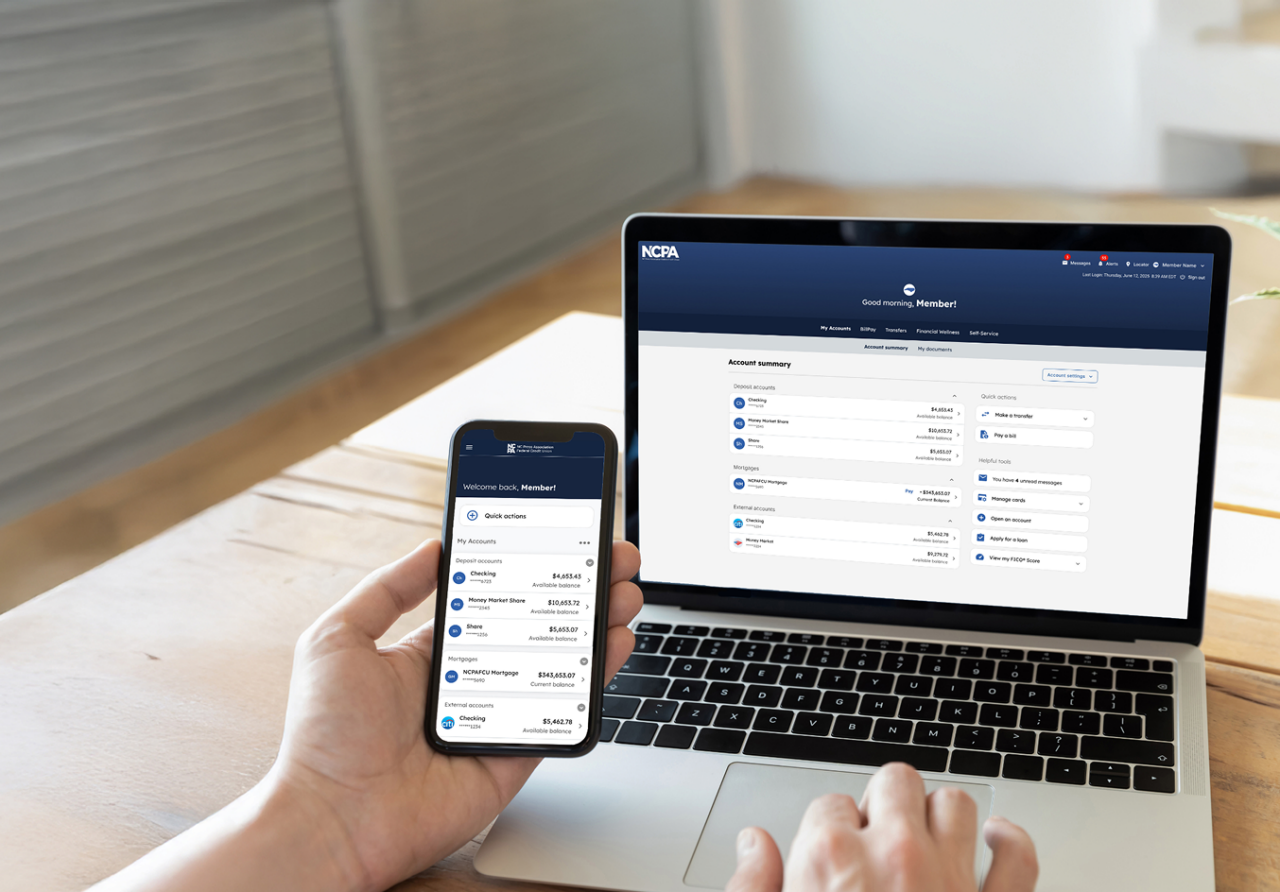
Online access to your accounts via Press Pass has been updated to the new Member Access. The new platform will offer additional security and features, making it easier to manage your accounts and information.
Experience the new Member Access
At NCPAFCU, members shape what we do. Your feedback is the driving force behind the new enhancements.
How to get started
Sign in to accept the new terms, update your alerts, and verify your scheduled BillPay payments.
Security & sign-in
To keep your data secure and ensure the best performance, we recommend using the latest version of Microsoft Edge or Chrome. Using an outdated browser may limit certain features.
You can keep using your previous username and password. For enhanced security, your first sign-in on the new platform requires multi-factor authentication (MFA) setup using your phone number.
In the new Member Access platform, members have one username to access all of their accounts online. For any members who had multiple active digital profiles, their most frequently used username and password were the set of credentials migrated to the new platform.
Members with fiduciary account ownership can see all accounts combined into one Member Access profile (the most frequently used). You no longer need to maintain multiple credentials to manage different account types.
You will sign in the same as you do today, through ncpafcu.org.
BillPay, transfers, & cards
The new BillPay system delivers a seamless, modern experience with enhanced features and an expanded network of electronic billers. Funds are now verified and withdrawn before the payment is sent, making it easier to keep track of your account balance and helping you avoid returned checks. With a delivery-based payment system, payments are scheduled based on when the biller will receive them to help ensure your bills are paid on time.
Previously scheduled payments moved to the new platform with the exception of check payments, payments made from a Health Savings Account (HSA), payments made to other NCPAFCU deposit accounts, and duplicate payments. If multiple payments to the same biller had the same date and amount, only one migrated. We recommend signing in to confirm your payment dates.
Your scheduled payments have automatically transitioned from “Send dates” to “Deliver by/estimated delivery dates.” To ensure on-time delivery, funds are withdrawn 1 business day before the “Deliver by” date for electronic payments and 5 business days before the “Estimated delivery date” for paper checks. Ensure your account has sufficient funds on the specified withdrawal date.
Just like a debit card purchase, funds must be available on the day funds are withdrawn for electronic and check payments. If sufficient funds are not available, the payment may fail or be subject to standard overdraft transfer practices, depending on your account settings. Note: unlike the previous system, the new BillPay platform will not make multiple attempts to process a failed payment.
Yes. BillPay payment details show the date the funds were withdrawn, the estimated delivery date, and the date the check is cashed.
No, your account and card numbers remain the same.
Get to know the new Member Access
Our completely redesigned platform gives you more features and tools to manage your accounts online.
No. Technology can improve convenience, but personal service will always be available to you. NCPAFCU members continue to be served through State Employees' Credit Union (SECU)’s 275 branches, 1,100 ATMs, and can reach Member Services Support 24/7.
Now that the new platform has launched, the old version of online access (Press Pass) is no longer available.
You may contact Member Services Support, our 24/7 member helpline, at (888) 732-8562 for assistance.
To ensure the highest level of security, previous alert settings cannot be automatically transferred. Re-enrolling ensures you will continue receiving important notifications. It also gives you the opportunity to explore and customize the expanded alert options now available.